A weather intelligence platform, built for the moment you have to decide what to do.
Most weather apps hand you data. AERI reads it for you: live radar, professional storm analysis, a forecast that explains
itself, pressure monitoring, live road cameras and safety tools, in one app, with calm language when it matters most.
Live radarNEXRAD loop, storm tracking, AERI and SPC outlooksA forecast that explains itselfTap anything and AERI tells you what it meansAdvanced storm analysisSkew-T, hodograph, matrix, trends and a storm mode classifierAnchorPressure monitoring, signal quality and phone safety toolsLive road camerasSee real conditions on nearby roads before you drive
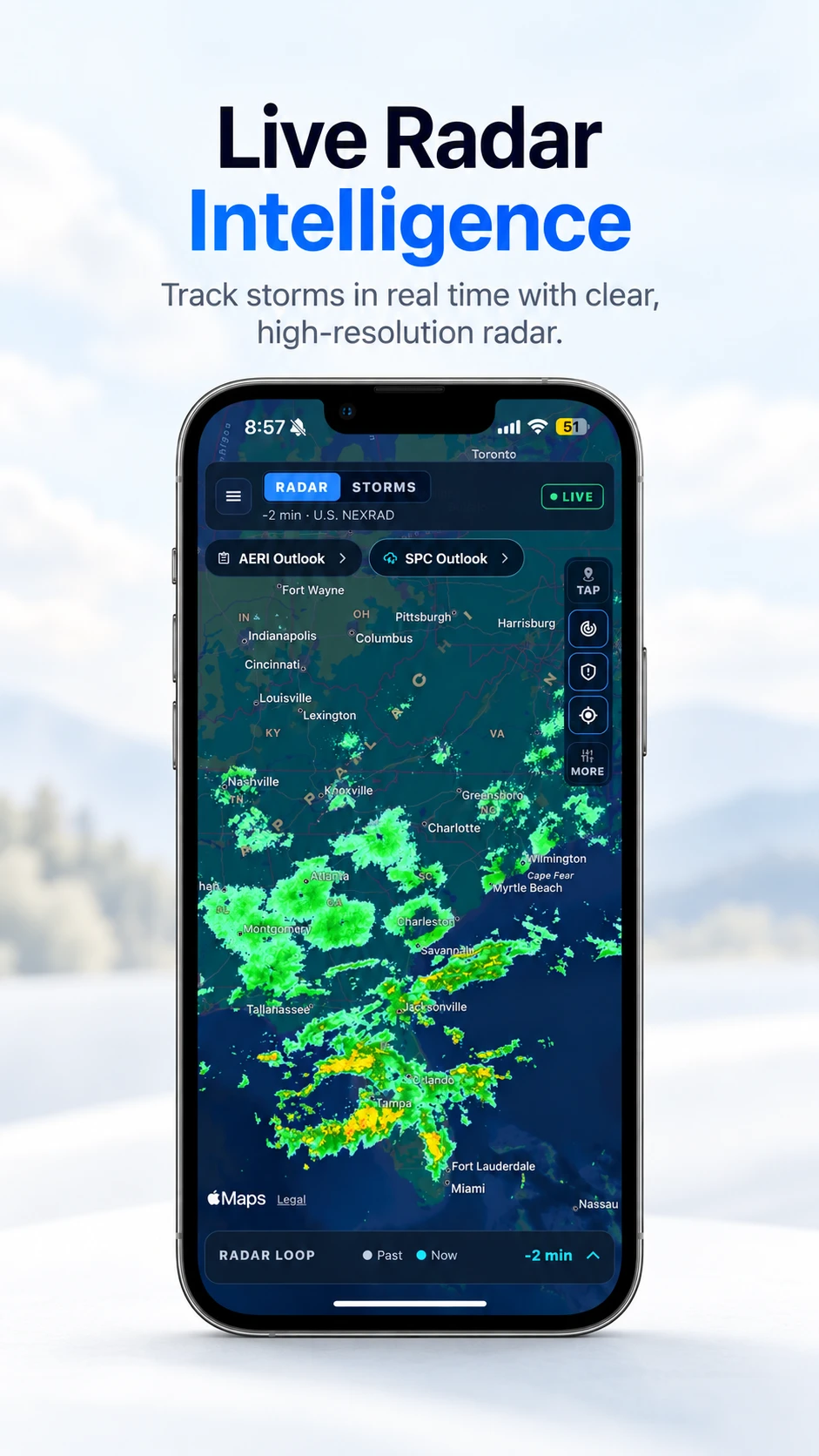
Live radar intelligenceA U.S. NEXRAD radar loop you can scrub, a Storms view, and AERI and SPC outlooks layered right on the map.
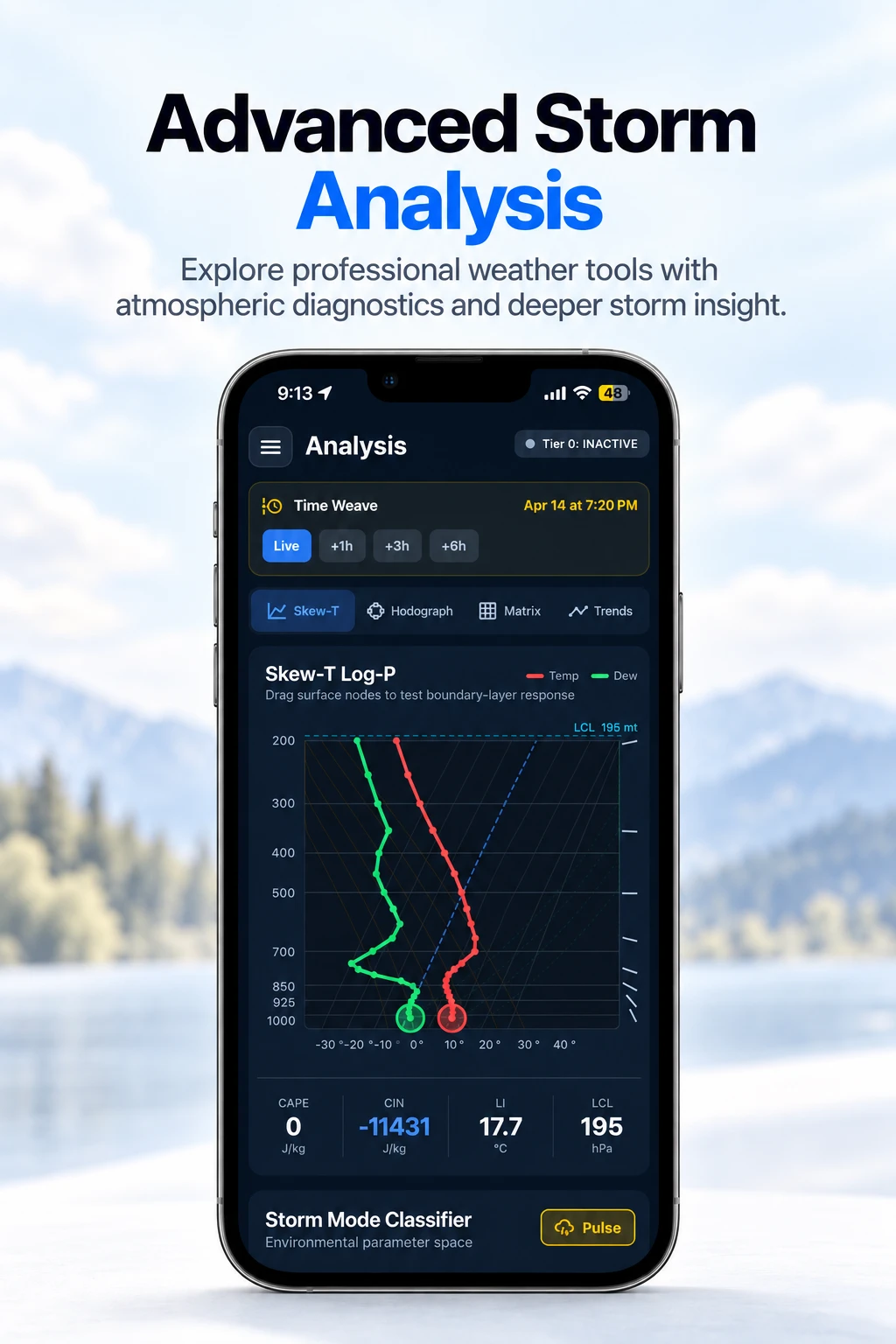
Professional storm analysisSkew-T Log-P with CAPE, CIN, lifted index and LCL, a hodograph, a parameter matrix, trends, and a Time Weave to step ahead hour by hour.
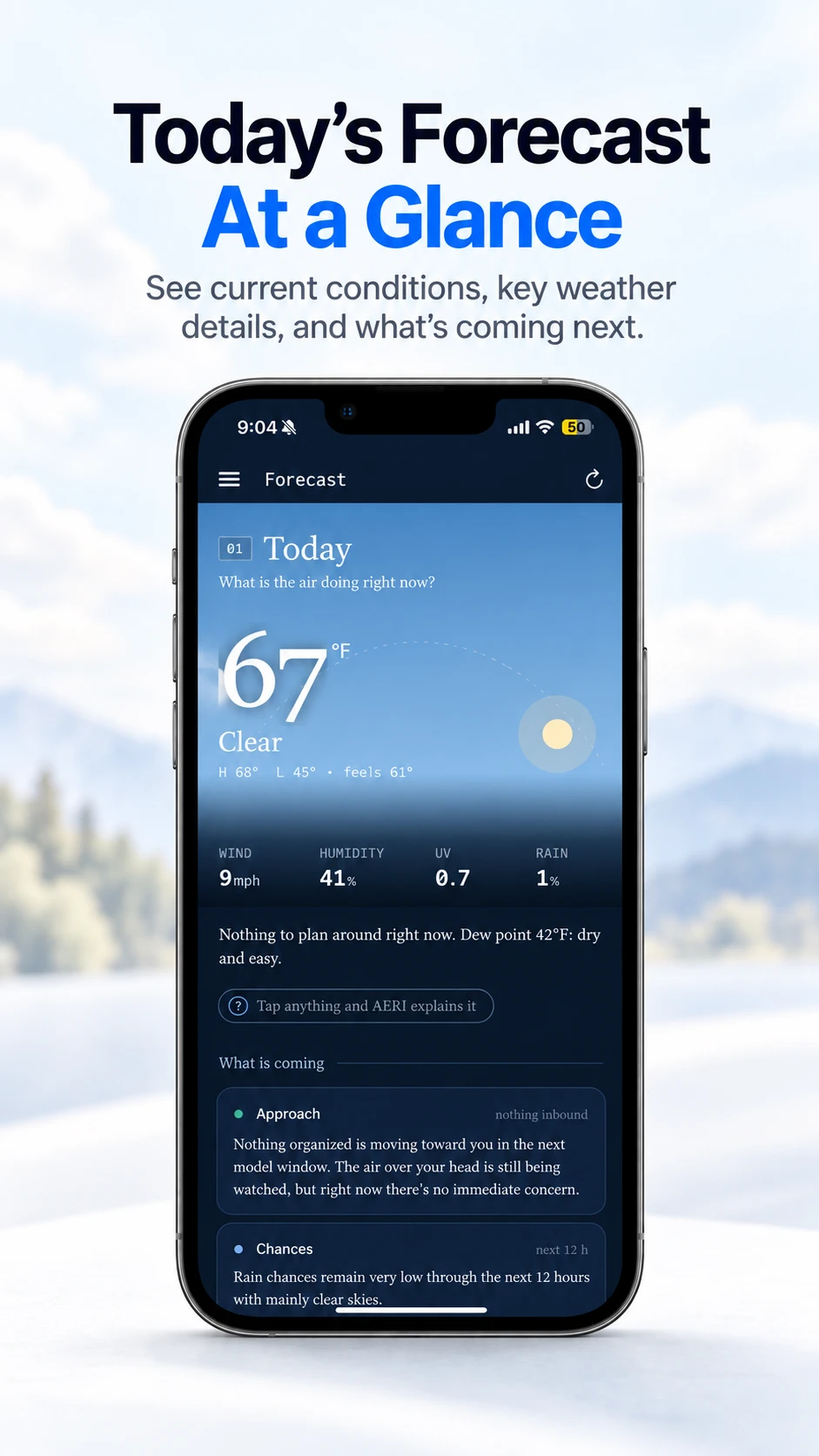
A forecast that explains itselfToday at a glance, what is coming and when, in plain sentences. Tap any number and AERI explains it.
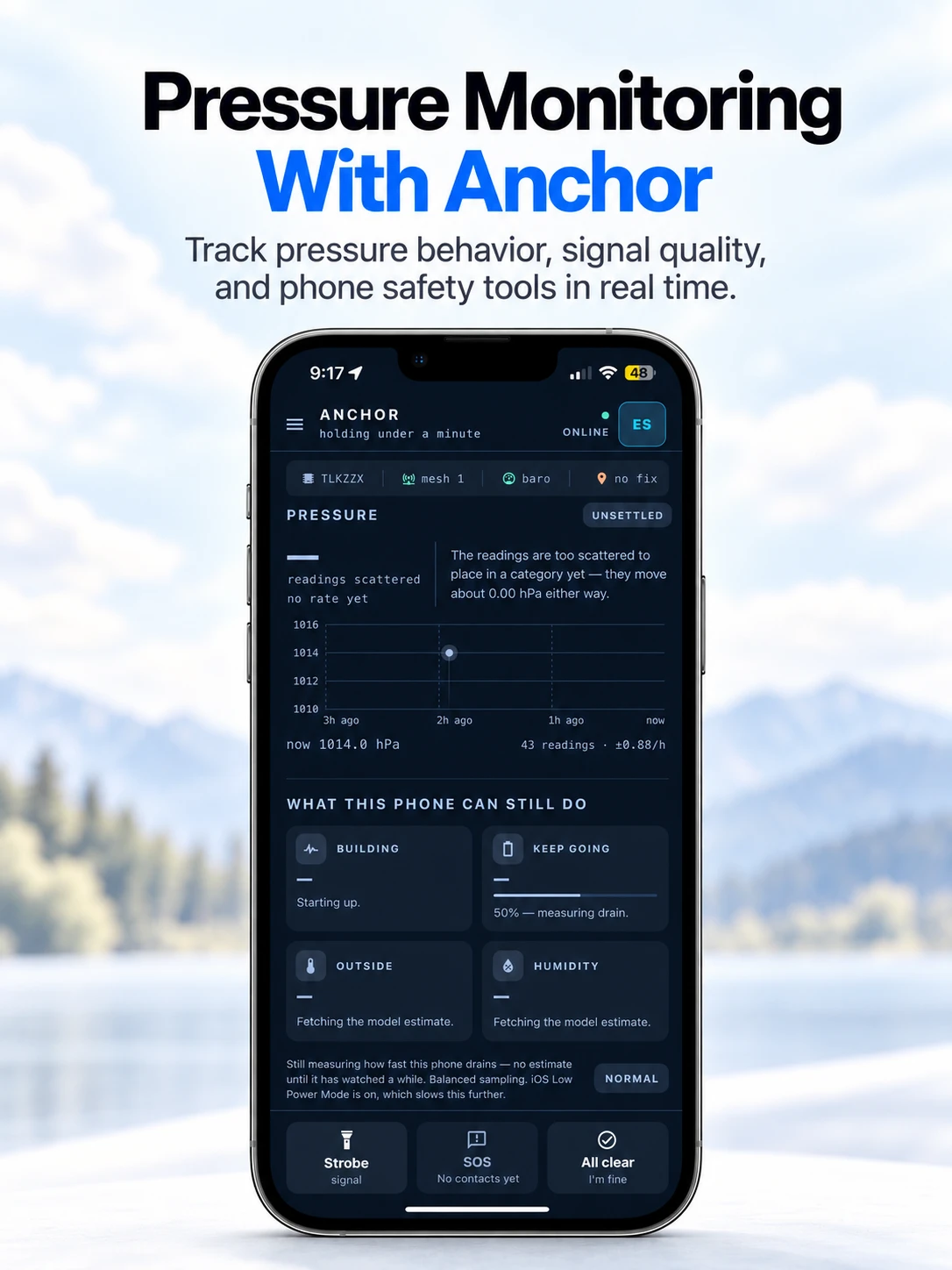
AnchorPressure monitoring that keeps working when things get bad: trend and signal quality, a strobe, SOS contacts and an All clear check-in.
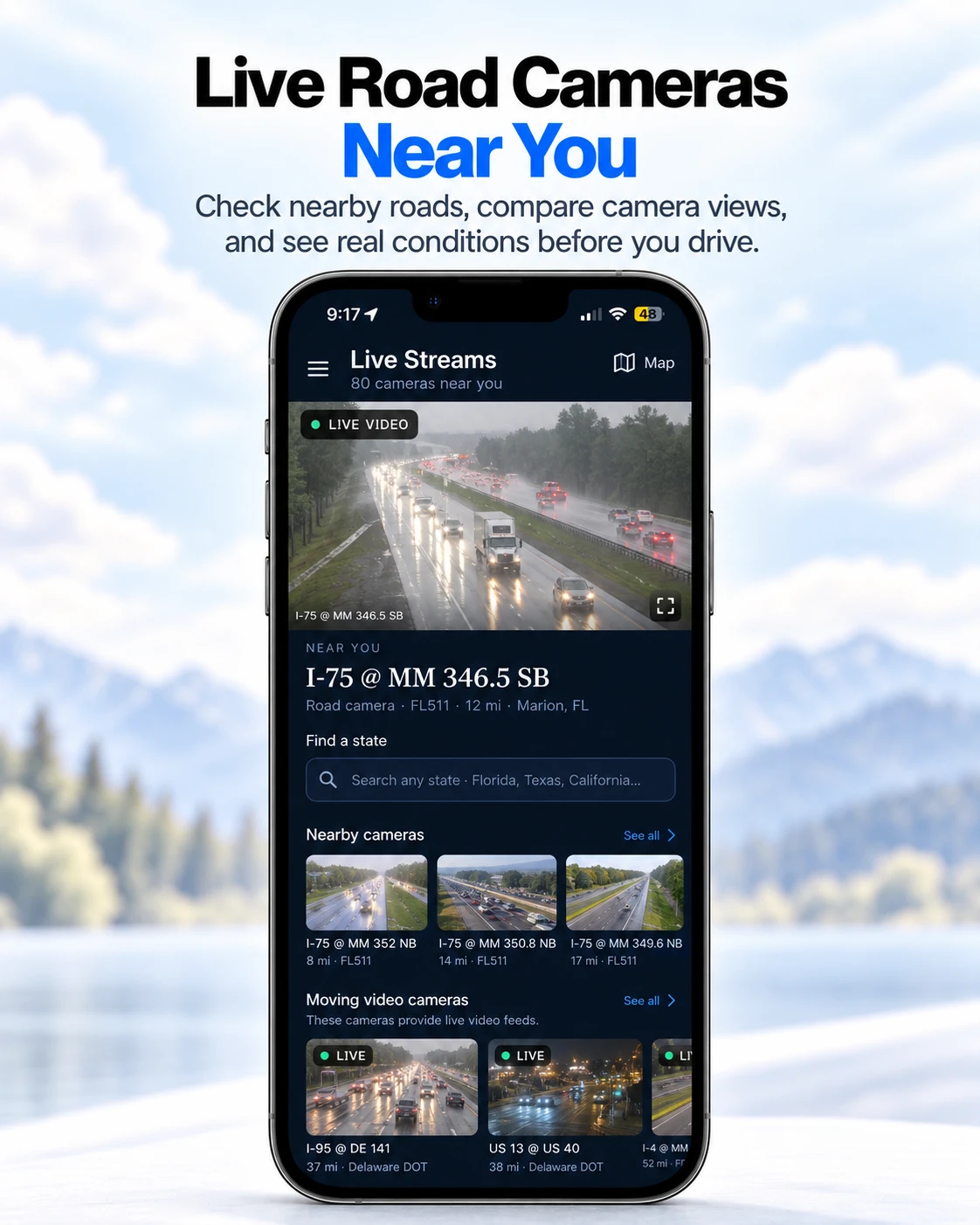
Live road camerasLive video and still cameras from state transportation feeds, so you can compare real conditions before you drive.
Three depthsStandard, Meteorologist and Severe: the same app, with the level of detail shaped to the person and the moment.
Weather guidance that feels calmer when decisions matter.
Three depths: Standard, Meteorologist, Severe. Radar playback, Anchor Mode and shelter/SOS utilities, moving from concept into a mobile-first interface. Built around the moment between seeing the weather and deciding what to do.
Being watched · 62 minNo action needed. We’ll tell you when this changes.
Heads-up · 38 minKnow where you’ll shelter if this holds.
Reaches you in 14 minGo to your shelter now.
02STEP TERRA · IOS APP
Turning a daily walk into a living little island.
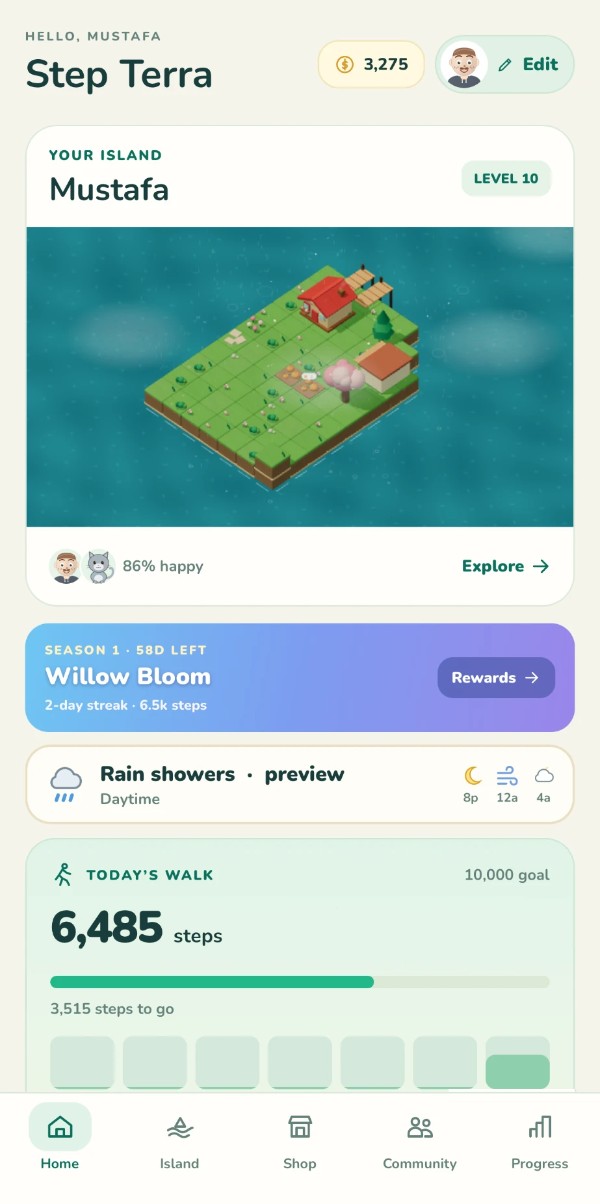
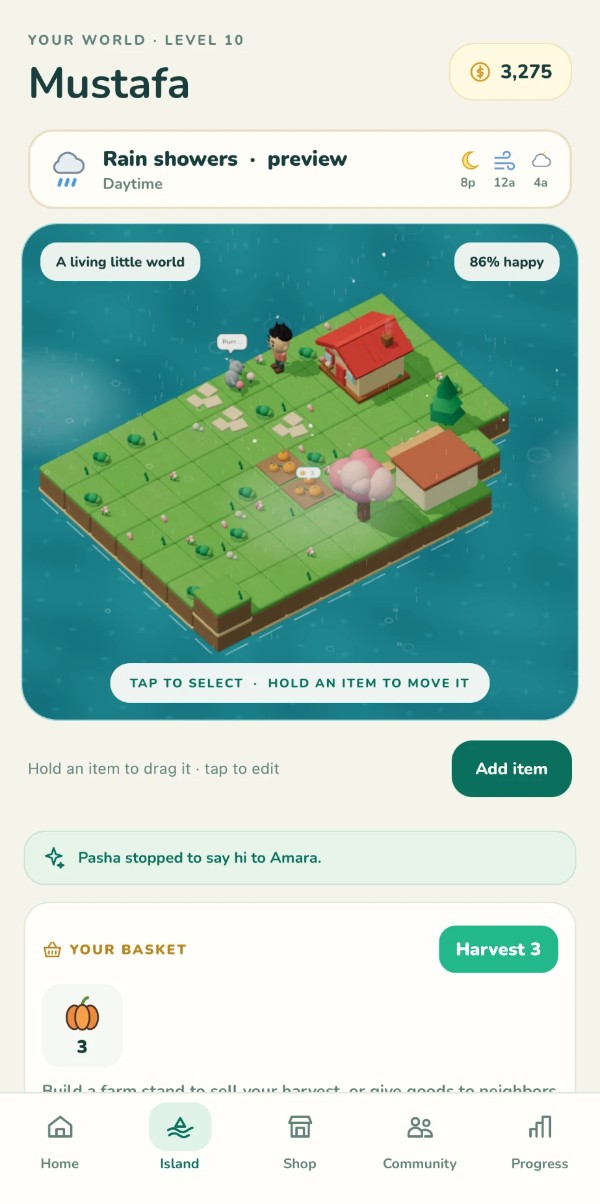
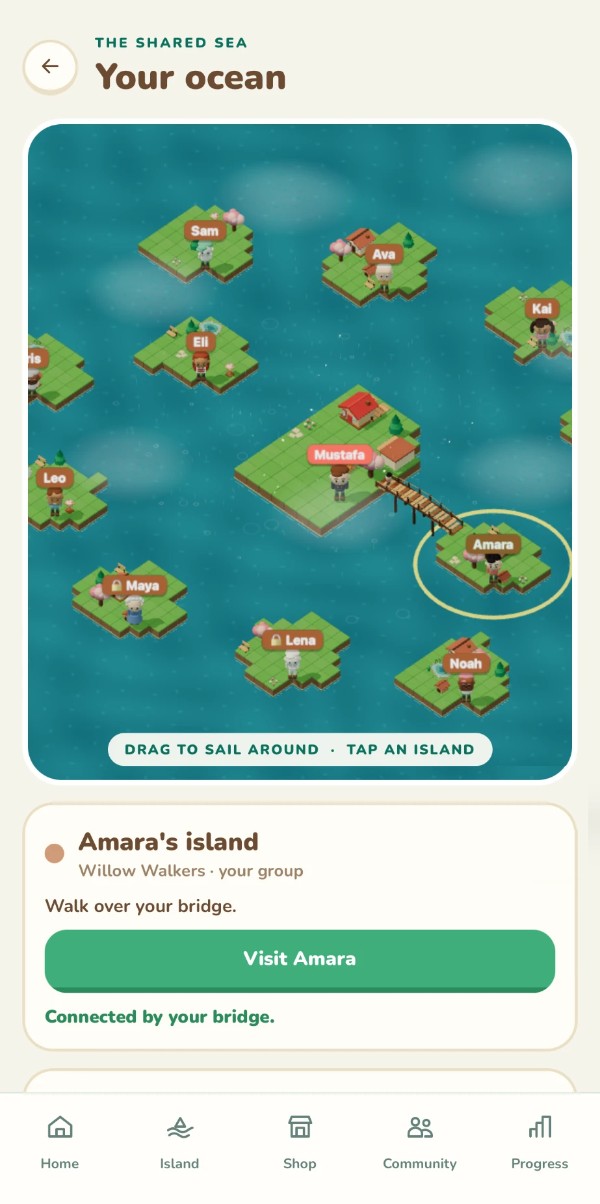
Your steps grow an island you can arrange, decorate and share. Tap to select, hold to move, watch the weather land on it, then sail to friends’ islands across bridges. An HCI and UI project, designed screen by screen.
Real screens from the app. Tap the tabs to move around:
9:41
Tap the tabs
03KEYAUDIT · KEY CUSTODY
Turning a paper sign-out sheet into a custody system.
Every key has a live state, and a return only closes when a manager confirms a one-time code. Exceptions go through an explicit override and everything exports as an audit record.
Manager enters the code (or open Key 5, already pending)
Key is marked returned, with a full audit trail
9:41
04WANTS · RESEARCH FRAMEWORK
Five questions that keep a solution human.
A repeatable path from frustration to a testable definition of success. Applied across a growing library of case studies, from AI negotiation drift to airline boarding confusion.
Turning missing nodes into an explainable hazard signal.
Failure patterns become information. A Python node network, visual demo, phase-based evaluation and exportable paper evidence estimate direction, distance, approach speed and recovery.
Hand control is an extra way in, never the only one.
I study human-computer interaction, so the controls on this page are designed to be explained.
Here is what they do with your camera, who can use them, and why they behave the way they do.
Privacy
Off until you turn it on. The camera only starts after you press the button and your browser asks permission. Your browser’s camera indicator shows while it’s on.
Analyzed on your device. Hand and face tracking run in your browser. Video frames are never uploaded or saved; only landmark coordinates exist, in memory, and they’re discarded.
One honest caveat: the tracking library loads from jsDelivr and its model files from Google Cloud Storage, so those servers see an ordinary file request, never your video.
The visitor globe records an approximate place (rounded to about 25 km) and country when the page loads, and nothing else. No IP address is stored; a daily-changing one-way hash only stops a refresh from counting twice. No cookies. Do Not Track and Global Privacy Control are honored, and you can opt out below. (Cloudflare, which hosts this site, necessarily sees your IP like any host does.)
Easy to stop. “Turn off camera,” closing the tab, or revoking permission all end it. The optional Lines setting is saved on your device.
Accessibility
Optional, always. Everything works with a mouse, touch or keyboard: buttons, links, and the storm’s size slider (the arrow keys move and resize it too).
Point-and-hold pressing. Hold the cursor on a button for two seconds. The ring fills to show progress, then flashes when the press happens.
Reduced motion respected. If your device asks for less motion, the storm stops moving and the tornado cursor stays off until you ask for it.
Letters always come back. The tornado cursor only borrows them. Screen readers get the real text, never the scattered letters, and the moving letters can’t swallow a click.
Design decisions
Show what the system sees. The skeleton on your hand and the live status line make recognition visible, so you’re never guessing whether it works.
Forgive mistakes. Holding a point presses a button; closing the whole hand toward the thumb and moving scrolls. Opening the hand stops scrolling immediately. The cursor is smoothed so hand tremor doesn’t jitter.
Play, with an undo. The tornado cursor tears words apart and then puts every letter back. Delight shouldn’t cost you the ability to read the page.
Limits: it follows one hand at a time, works best in good light with the front camera, and needs a secure (https) page. On a phone, prop it up about 2–3 ft away so both your face and hand fit in view. If it can’t see your hand, the status line under the preview says what to try.
Music · Another side of me
I love making music, too.
Music is where I experiment by ear. I built a small hand-controlled studio where you can add harmonies to a voice or play piano keys in the air. There’s also a preview from my Confidence mix.
Open to work that turns complex systems into clearer decisions.
I am looking for internships, collaborations, research partnerships, and AERI pilot conversations across
product, AI systems, HCI, weather intelligence, and research engineering.
Product and HCI
Interfaces that reduce stress, clarify risk, and make technical systems easier to trust.
AI Systems
Human-centered agents, evaluation frameworks, and safety-aware decision workflows.
AERI Pilots
Weather intelligence partnerships for severe weather, operations, research, and public safety.
About Me
A little more about Mustafa.
Hello, my name is Mustafa M. Yildiz. I am 22 years old,
born in February, and I am currently studying for my
Bachelor’s in Computer Science at Rowan University. In my free time,
I love music and writing. For a long time, I honestly
disliked computer science, but more recently I deeply fell in love with it after
discovering how powerful it can be when it is used to build meaningful systems.
I am the founder, owner and solo developer of AERI Intelligence (aeriweather.com), a weather intelligence
company focused on making tornado and high-risk weather information easier to
understand through clearer design, calmer communication, and more human language
in stressful situations.